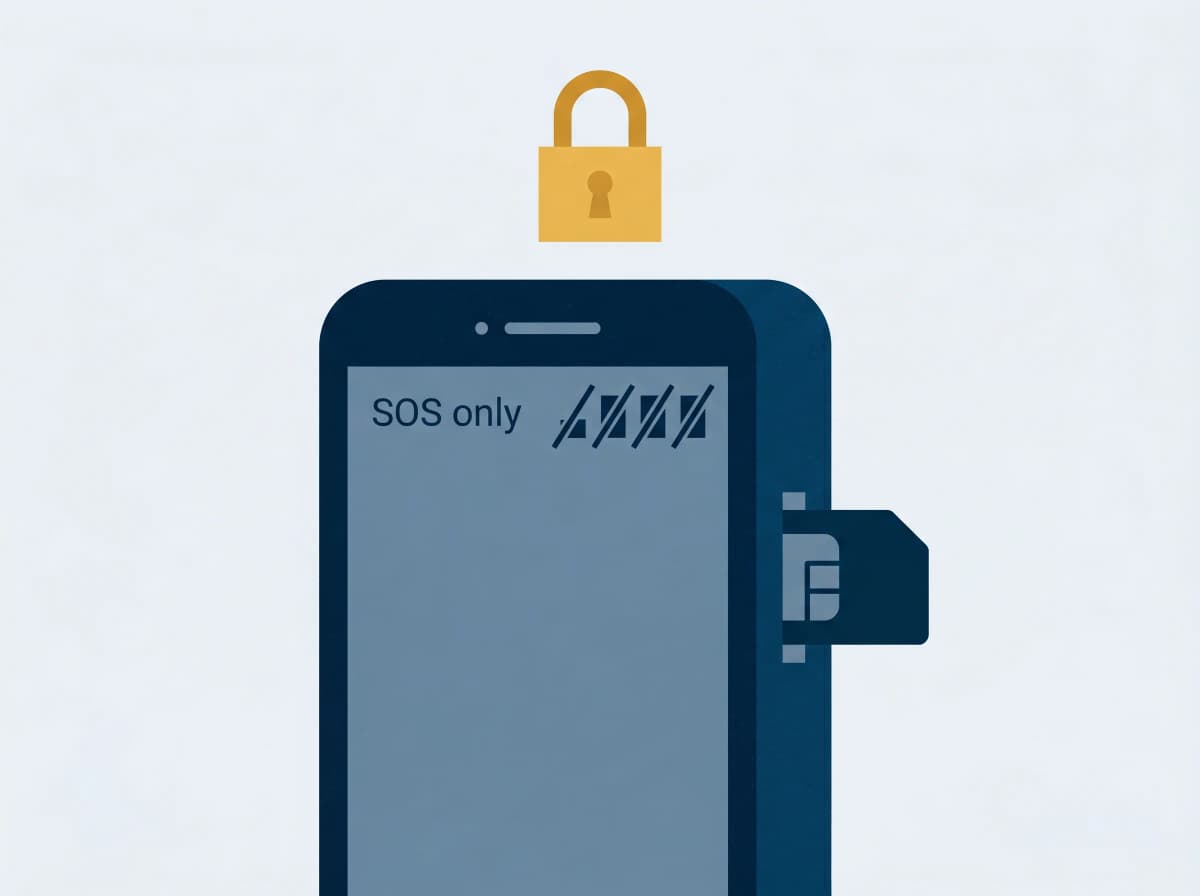
When your phone drops to "SOS only": the mobile fraud Australians need to know about
ACMA and the National Anti-Scam Centre just issued a joint alert. Here's what the scam is, what it isn't, and 20 minutes of hardening you can do tonight.
If your phone suddenly loses signal and shows "SOS only" when everyone else around you has full bars — don't brush it off. In some cases, it's the first sign a criminal has hijacked your mobile number.
On 7 April 2026, the Australian Communications and Media Authority (ACMA) and the National Anti-Scam Centre issued a joint alert about this exact scam. It's rising fast, it's uniquely nasty, and — the good news — it takes about 20 minutes tonight to protect yourself.
What's actually happening
The attack is called a SIM swap (or port-out fraud). Criminals take control of your mobile number — either by switching it to a new SIM on your existing carrier, or porting it to a different one entirely. They don't need your physical phone. They often don't need to call you.
IDCARE reports 90% of Australian SIM-swap cases in 2024 happened with no victim interaction at all. Industry analysts now estimate the time between a SIM swap and the first unauthorised transaction at under 5 minutes.
Once they have your number, every SMS code and verification call lands on their device. That means:
- Bank password resets
- myGov and ATO logins
- Email recovery codes
- Crypto exchange withdrawals
- Super fund account changes
Your phone dies. Their phone becomes you.
The warning signs (straight from Scamwatch):
- Verification codes you didn't request
- Password reset emails you didn't start
- Unexpected alerts about changes to your mobile account
- Your phone suddenly showing "SOS only" or no signal
Why it's getting worse in 2026
Two things have changed the game:
eSIMs. Most new phones use a rewritable chip instead of a physical SIM. Carriers can activate a number on a new device remotely via a QR code emailed to you. Convenient for you — and for attackers who've compromised your email.
Data breaches. Optus (2022), Medibank (2022), Latitude (2023), MediSecure (2024), Qantas (2025). The personal details that telcos and banks used to verify identity — name, date of birth, driver licence, Medicare number — are now commodity items on criminal markets. If you've received a breach letter in the last few years, assume you're on a target list.
Australian telcos have been fined repeatedly for letting this happen: Optus A$826,320 (November 2025, the regulatory maximum), Exetel A$694,860 (August 2025, 73 customers, A$412,000 stolen), Circles.Life A$413,160 (May 2025), Telstra A$1.55 million (July 2024). Regulators are catching up — but the attacks are still succeeding.
What attackers DON'T get (an important myth to kill)
A SIM swap does not give a criminal access to:
- Your photos, contacts or files
- Apps already on your phone
- Passwords saved in Chrome, Apple Keychain or your password manager
- Your iCloud or Google account directly
They only get your phone number. The damage comes from everything that uses your number to verify it's really you. Which, these days, is almost everything.
If it happens to you: the first 10 minutes
The official advice is very specific about the order.
Call your bank first — from another phone. A landline, a partner's phone, a Wi-Fi call from an iPad. Don't waste time on your dead handset.
1. Call your bank first — from another phone.
- CommBank: 13 2221
- Westpac: 132 032
- NAB: 13 22 65
- ANZ: 13 33 50
- Macquarie: 1800 622 742
Tell them: "I think my SIM has been swapped. Put a freeze on my accounts." Ask them to treat it as an unauthorised account takeover — that phrase matters for reimbursement.
2. Call your telco second.
- Telstra: 13 22 00 (say "fraud")
- Optus: 133 937
- Vodafone/TPG: 1300 650 410
Ask them to deactivate the rogue SIM and restore service to your device.
3. Call IDCARE: 1800 595 160. Free, government-funded, Australia's specialist identity-recovery service. They'll project-manage the rest.
4. Report to ReportCyber at cyber.gov.au/report and Scamwatch at scamwatch.gov.au. You'll get reference numbers you'll need later.
The 20-minute hardening checklist (do this tonight)
You don't need to be a security expert. Five things, in order of impact.
1. Put a PIN on your telco account. Call your provider and ask for an account PIN or porting password that must be quoted before any SIM swap or port. This is the single most effective protection. All the major carriers offer it; most don't make it obvious.
2. Switch your bank MFA from SMS to app-based. Open each bank app and find "security settings." Turn on:
- CommBank: NetCode push notifications (not SMS)
- Westpac: Westpac Protect in-app approval
- NAB: NAB app approval
- ANZ: ANZ Shield app (works offline — crucial if your SIM is gone)
- ANZ Plus: Register a passkey (Australia's first passwordless web banking)
- Macquarie: Macquarie Authenticator
If your bank only offers SMS 2FA and you can't switch it off, consider keeping smaller balances there.
3. Remove SMS as recovery from your Google and Apple accounts. Add a passkey or security key instead. If an attacker gets your number but can't reset your email, the whole attack chain breaks.
4. Stop saving bank passwords in Chrome. Use a dedicated password manager — 1Password, Bitwarden, or Apple Passwords. Protect it with biometrics plus a long passphrase.
5. Place a free 21-day credit ban. Takes five minutes, costs nothing, stops anyone opening accounts in your name:
- Equifax: equifax.com.au/ban
- Experian: experian.com.au/consumer/request-a-ban (also covers illion)
You can extend it in 12-month blocks forever with a ReportCyber reference number.
What's coming next
Australia's Scams Prevention Framework Act 2025 starts binding banks, telcos and digital platforms from 1 July 2026, with penalties up to A$50 million per breach. The Australian Banking Association's Scam-Safe Accord — including Confirmation of Payee (now live across 143 million accounts) and BioCatch Trust Australia (covering 85% of Australian banked customers) — is already measurably reducing losses. Reported scam losses dropped 26% in 2024 and are trending down.
The system is finally turning. But the gap between "the rules exist" and "your account is safe tonight" is the checklist above.
The bottom line
Your mobile number has quietly become the master key to your financial life. Treat it that way. One phone call to your telco, five minutes in each of your banking apps, and a free credit ban — and you've moved yourself from the easy-target pile to the too-hard pile.
And if your phone ever drops to "SOS only" while your partner's works fine? Don't wait. Call your bank first, your telco second. Those first ten minutes are everything.
This article was informed by the 7 April 2026 joint alert from Scamwatch and ACMA. If you're worried you've been targeted, contact IDCARE on 1800 595 160 for free support. You can also report mobile fraud to your telco and to Scamwatch at scamwatch.gov.au.
Ask Arthur is Australia's friendly scam-detection companion. For more guides and real-time alerts, visit askarthur.au.
Related posts

Think you've received a scam?
Check it instantly — free, private, no signup.
Check nowStay ahead of scams
Weekly alerts delivered to your inbox every Monday.